
Before you start
Check the enquiry’s service and destination. If dependants have been added, use the applicant selector to choose whose profile you want to review. Confirm the selected person’s name before changing their information. Profile fields save automatically as you finish editing. There is no page-wide Save button. After entering a value, move out of the field and check for validation or saving errors. If the profile is read-only, the page explains why your access does not allow changes from this enquiry.Understand completion indicators
The circle beside each section heading shows how much of that section’s information has been completed. Use it to spot gaps while speaking with the client. A score of 100 means the section is complete according to the CRM’s completion rules. It does not mean the information has been verified or that the client is eligible.Profile completion percentages and immigration eligibility points measure different things. A complete profile gives you more information to work with; eligibility points are calculated from the information recorded.
Know which details are shared
General Information, Work Experience, Language Information, and Education are marked Applies to all enquiries. These sections belong to the person. Update them once, and the same details are available across that person’s enquiries. When you select a dependant, you are reviewing that dependant’s information, not the main applicant’s. The Visa Profile follows the current enquiry’s service and destination. Its completion indicator reflects the relevant information for that enquiry. Some facts about the person are shared across enquiries for the same country, while enquiry-specific answers belong to the selected enquiry.General Information
Start with the basics: who you are speaking with, how to reach them, and whether their personal details are correct. Confirm the name, email address, phone number, and date of birth. Age is calculated automatically from the date of birth.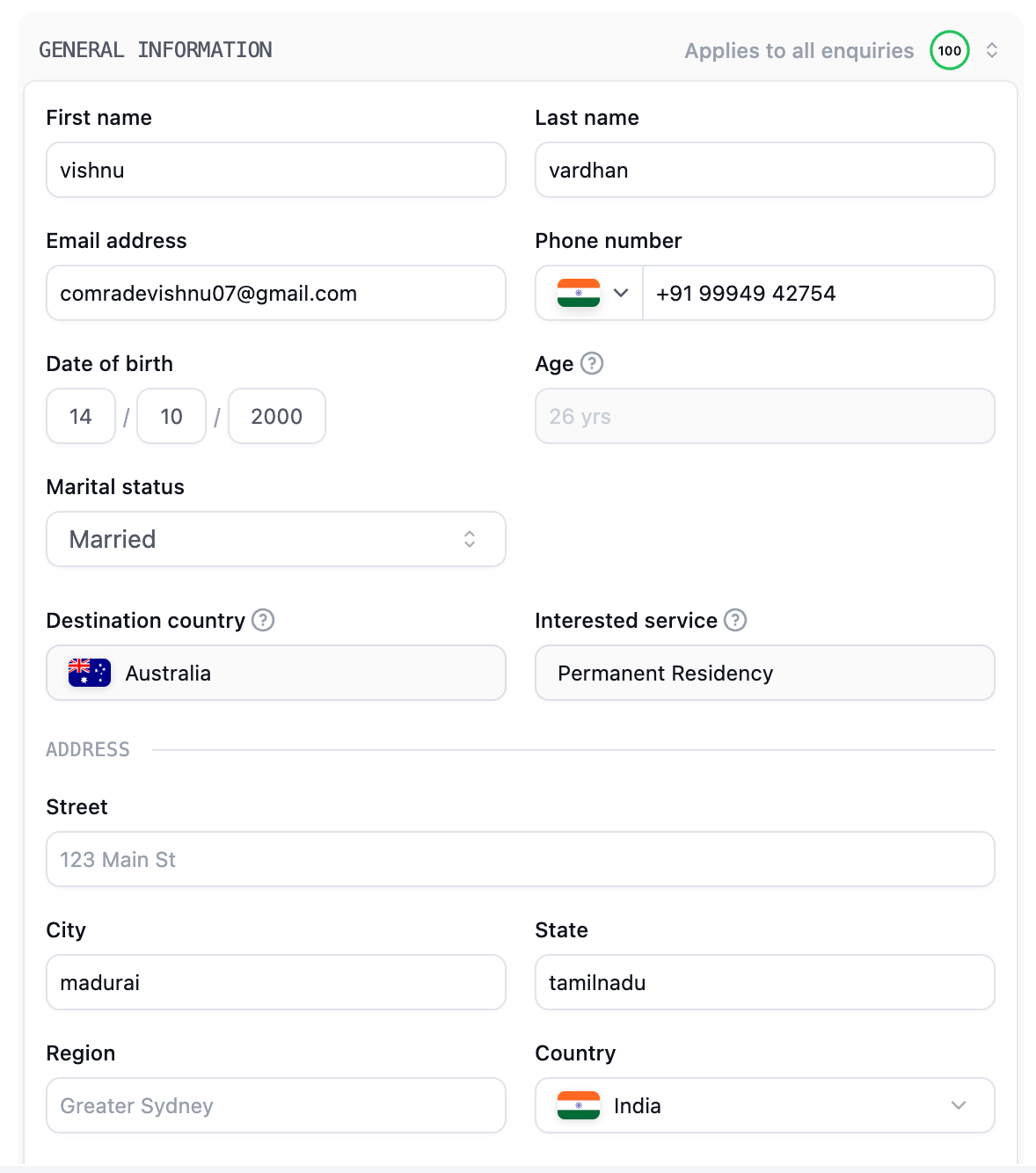
Work Experience
Ask the client what they do, where they work, and how much experience they have. Record the company, designation, industry, job location, work type, and years of experience. Add salary information when available.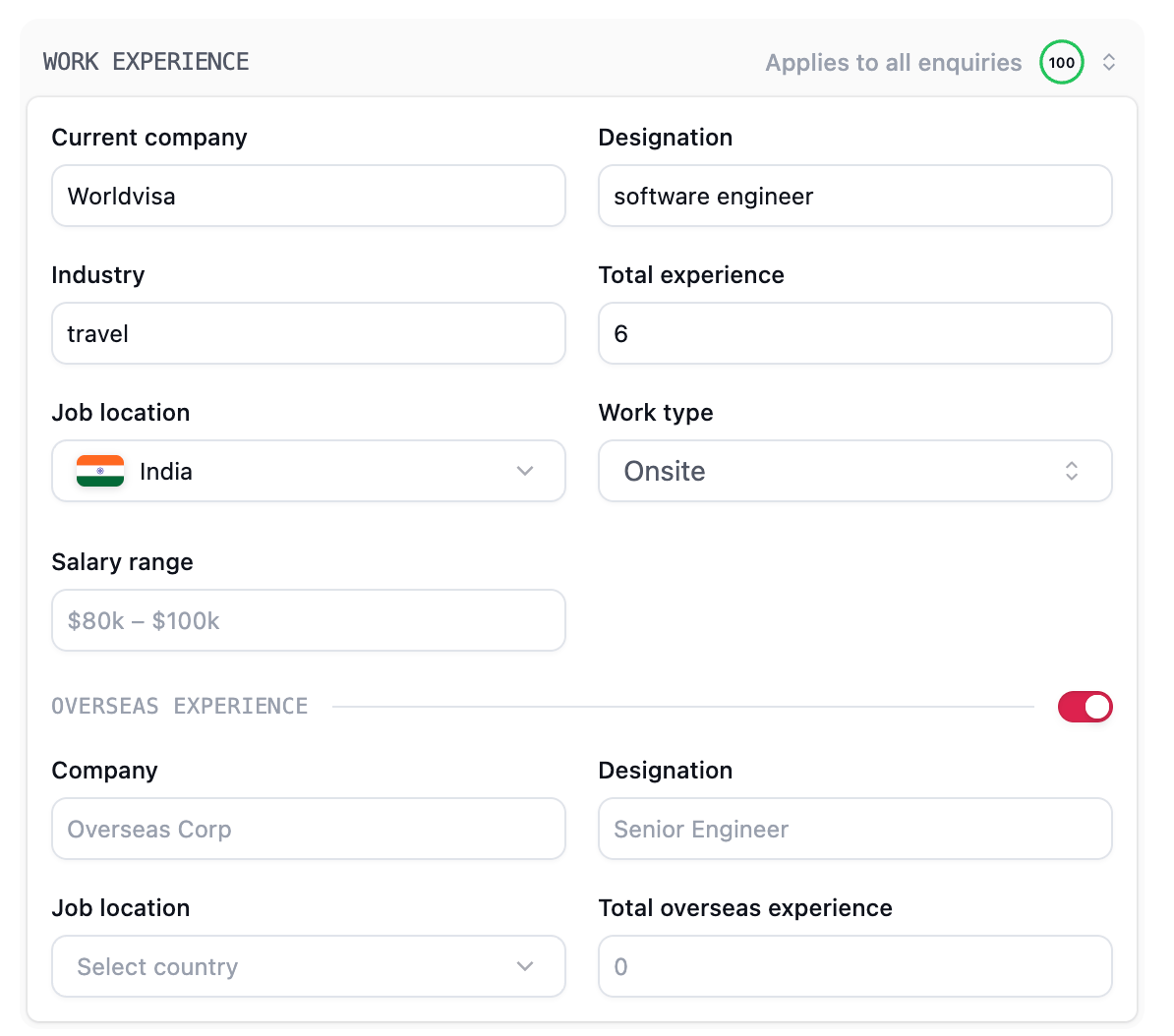
Language Information
Add the languages the client knows and their proficiency. If they have taken a language test, turn on Has taken test to record the exam, test date, and individual scores.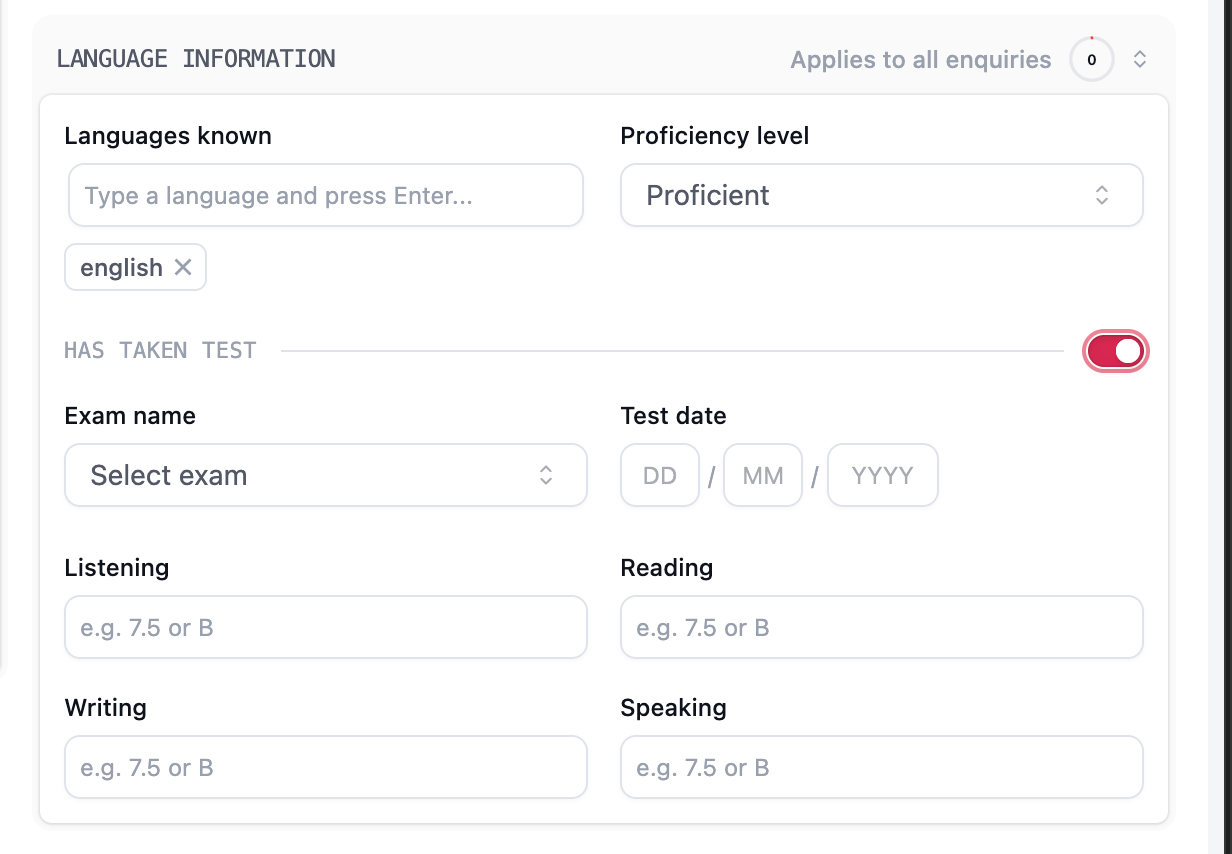
Education
Record the client’s qualification, university, country of study, and field of study. Complete the course type, duration, and year of completion so the team has the background needed for assessment.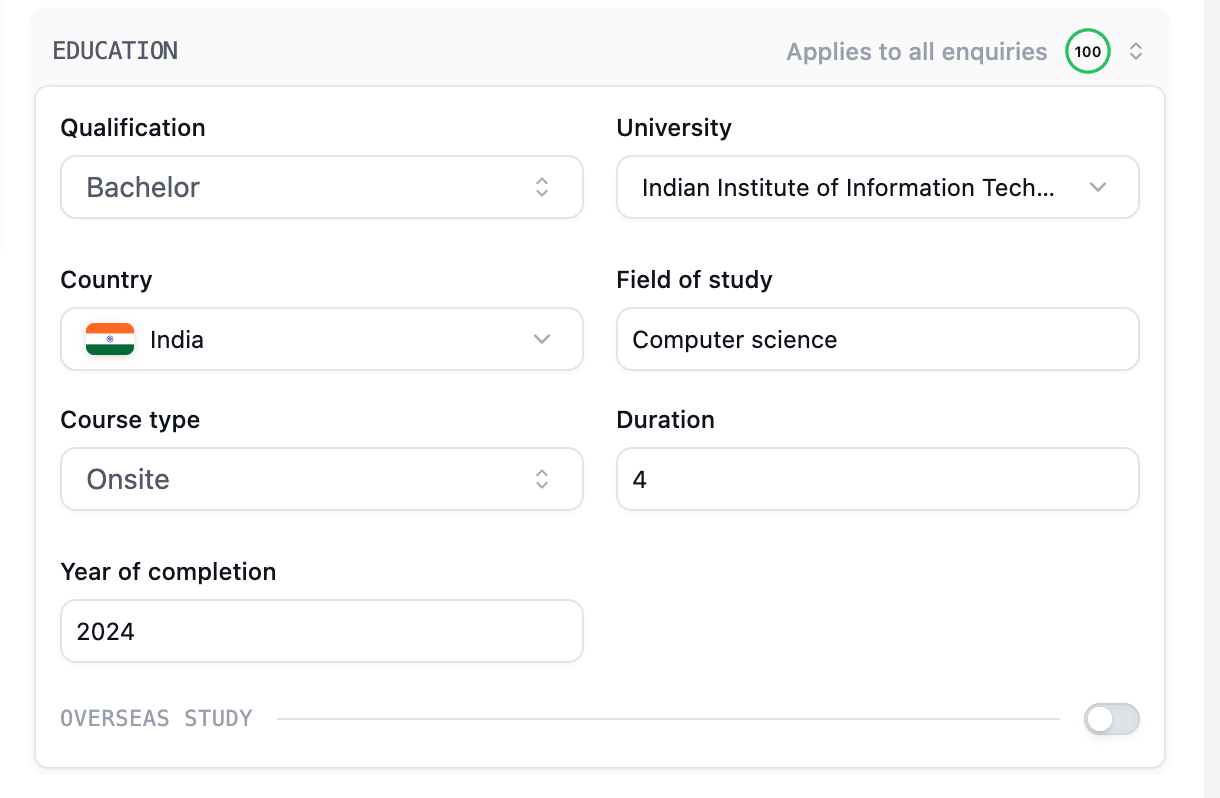
Visa Profile and service-specific details
This part of the profile follows the selected enquiry. An Australia Permanent Residency enquiry asks for different information from a Canada enquiry, Visit Visa, or Work Permit enquiry. Depending on the service, you may see Visa Profile, Visit Visa Details, or Work Permit Details.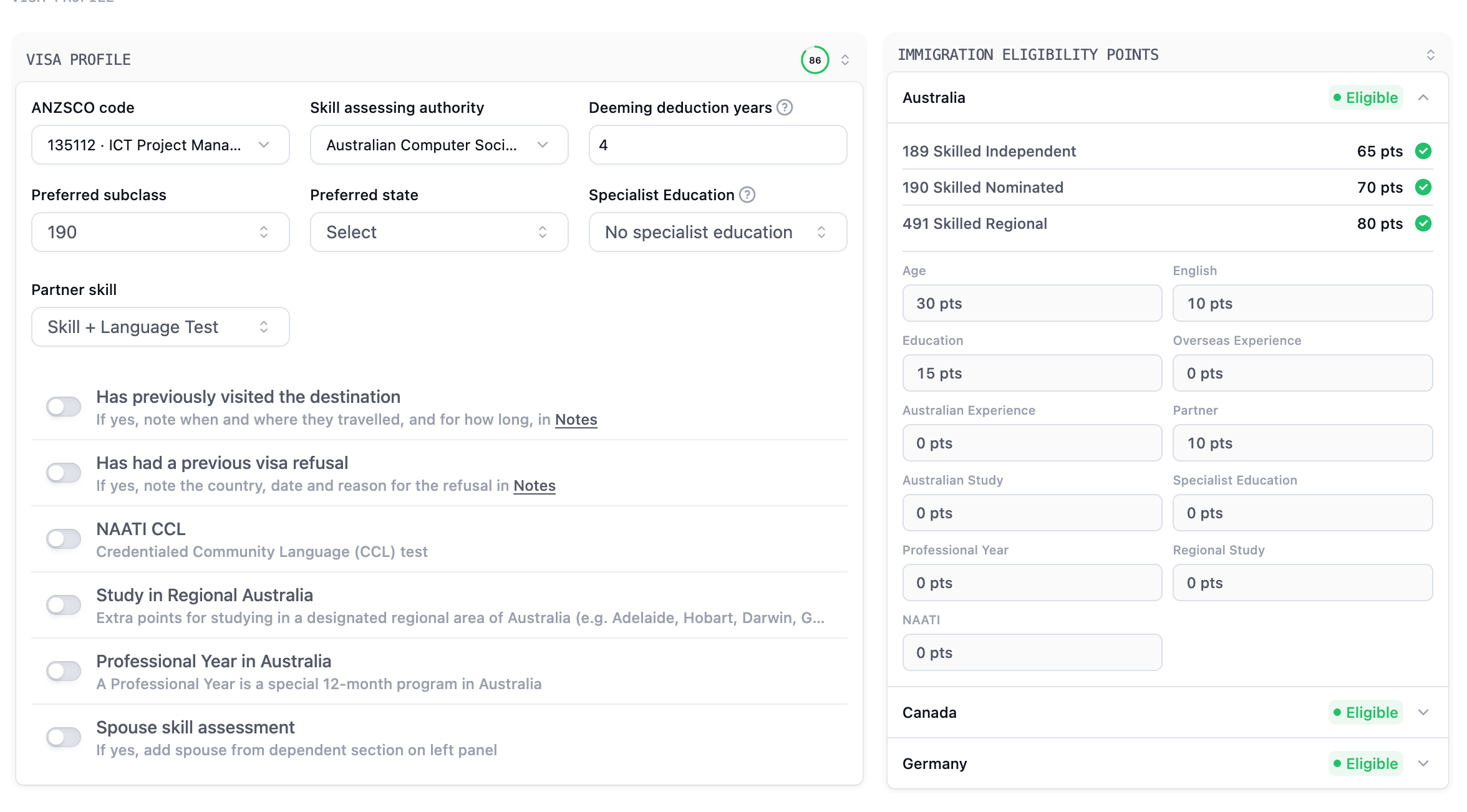
Understand deeming deduction years
For Australia, Deeming deduction years reduces the overseas experience counted by the CRM when calculating experience points. Enter the deduction confirmed for the client’s assessment; the CRM applies the number you enter rather than deciding it for you. For example, if the recorded overseas experience is six years and the applicable deduction is four years, the CRM uses two years for the overseas-experience points calculation. The deduction does not reduce Australian experience, and counted overseas experience cannot fall below zero.Immigration Eligibility Points
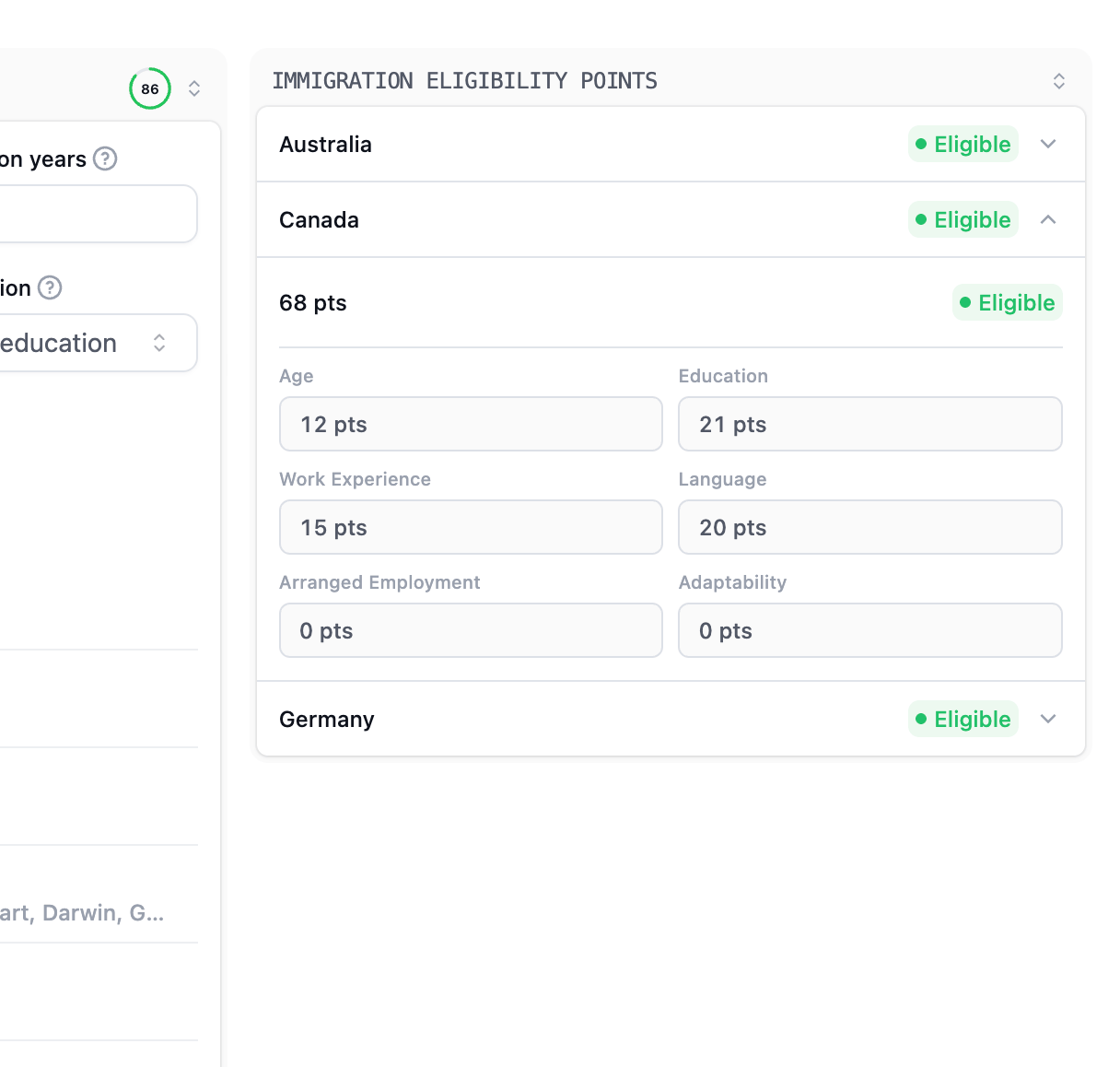
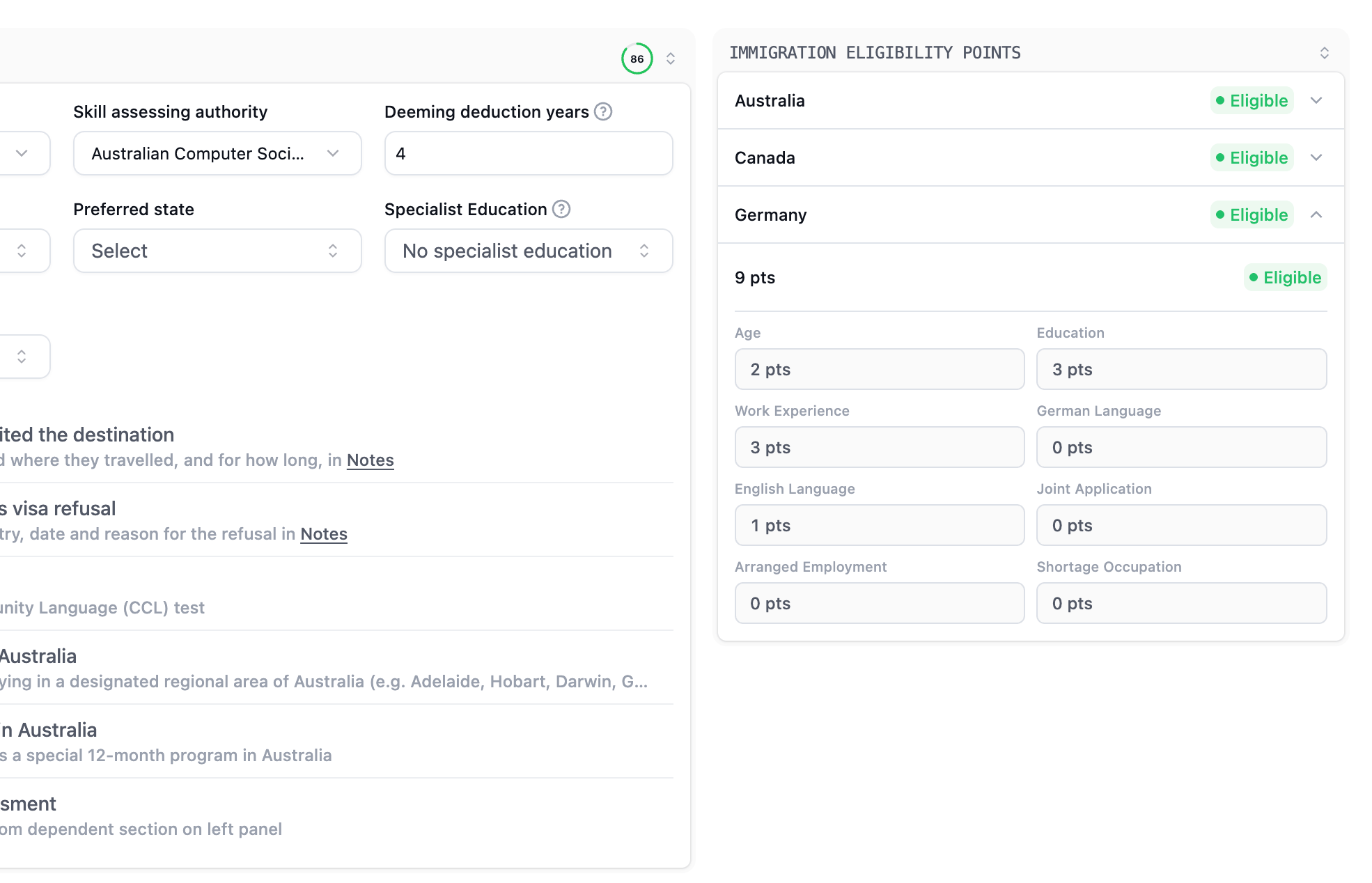
You do not need to calculate every point manually. The Immigration Eligibility Points card calculates results from the recorded profile and enquiry information. Expand a country to review its total and the factors behind it. The examples below show one recorded profile. Your client’s results depend on their own details, and a result can be incomplete when relevant information has not been entered.- Australia
- Canada
- Germany
Review the displayed totals for 189 Skilled Independent, 190 Skilled Nominated, and 491 Skilled Regional. The breakdown shows how the CRM has counted factors such as age, English, education, experience, and partner information.
Help the client explore another option
Suppose your client asks about Canada PR, but the current calculation suggests their profile may be better suited to Australia. First check that the information is complete, then open Australia’s breakdown and review the factors behind the result. You could say: “Based on the details we have recorded, Australia may be another option worth exploring. Let’s review your work experience and assessment requirements before deciding.” Use the card to guide that conversation and explain why an alternative may be worth considering. Do not change the client’s enquiry simply because another country shows a higher number; the countries use different scoring systems. If the client wants to explore both destinations, create another enquiry so each has its own follow-up. When you need the detailed report, open the Reports tab and generate it there.The eligibility card is a quick review based on the information recorded. Its result does not guarantee an invitation, visa approval, or a final assessment outcome.