
Understand the main stages
The main stages are the milestones of an enquiry. New, Contacted, Proposal, Deal, and Won form the typical path forward. Nurture and Lost describe other paths an enquiry can take.
The main CRM stages, with Nurture and Lost shown as side paths.
New
An enquiry has entered your workspace. Review the client’s details, check what they are interested in, and look for previous enquiries before reaching out. The Lead creation guide explains how enquiries arrive and how to add one yourself.Contacted
You are gathering information and assessing the enquiry. Keep the client’s details and requirements up to date so your conversations and recommendations reflect their circumstances. The CRM can move an enquiry into Contacted as profile information is completed. The stage alone does not confirm that a conversation has taken place. Check the activity history to see what has happened.Proposal
You are discussing the options and helping the client understand what comes next. This can include meetings and sending, revising, or confirming a proposal.Deal
The enquiry has reached the commercial steps. Review the service invoice, payment, and agreement, and help the client complete what is outstanding.Won
The enquiry has converted and a case has opened for processing. This is a milestone in the sales journey. It does not mean the visa has been approved.Nurture
The enquiry is set aside because the person is not interested or may be ready later. Record the outcome so your team knows whether and when to revisit the conversation.Lost
The deal did not proceed, or a refund resulted in closure. Record the reason and review the history if the person returns.Understand the statuses within the journey
A stage gives you the overall position. A status gives you more detail about what is happening. For example, Proposal tells you where the enquiry sits, while Proposal Sent tells you that a proposal has been shared. These are the smaller steps and outcomes you will see as you work.
Common statuses within the journey. Not Qualified is shown separately because it keeps the current stage unchanged.
These are common groupings, rather than a fixed sequence. Some statuses can appear across multiple stages. Assessment reports and lawyer consultations also have their own statuses, depending on the service and activity.
How an enquiry moves forward
You do not need to update every milestone yourself. The CRM responds to work completed on the enquiry:- Log an initial call: No Contact can change to Call Attempted without changing the stage.
- Complete profile information: A profile-completion update reaching 45% can move a New enquiry to Contacted with Info Gathering status.
- Schedule or start a regular meeting: A New or Contacted enquiry can move to Proposal. Lawyer consultations follow separate status rules.
- Send a proposal from Contacted: The enquiry moves to Proposal with Proposal Sent status. Revisions and acceptance can update its status afterward.
- Create the primary service invoice: The enquiry moves to Deal. An assessment-report invoice does not represent this milestone.
- Complete the service agreement: The enquiry can convert to Won. Eligible payments can also trigger conversion where an agreement is not required or an approved waiver applies.
When the client is not moving forward
Recording the right outcome helps your team understand the conversation and whether another follow-up would be useful.Future Prospect: revisit the enquiry later
Future Prospect: revisit the enquiry later
The person may need more work experience, documents, a language test, or time to discuss their plans. Select the category and reason, then choose when to follow up. The enquiry moves to Nurture.
Not Interested: record why they do not want to proceed
Not Interested: record why they do not want to proceed
Record the category and reason so the next staff member understands the conversation. The enquiry moves to Nurture. This action is available before Deal; Deal has its own Deal Lost outcome. Respect any request not to receive further follow-ups.
Not Qualified: record suitability for this enquiry
Not Qualified: record suitability for this enquiry
Record why the enquiry is not suitable to proceed. The current stage stays unchanged; the enquiry does not automatically move to Nurture or Lost. This outcome belongs to the particular enquiry, rather than every service or destination the person may consider.
No Response: review the contact attempts
No Response: review the contact attempts
No Response describes the contact situation. It does not automatically close the enquiry or move it to Lost. Review previous attempts before deciding your next action.
Deal Lost: record why the deal did not proceed
Deal Lost: record why the deal did not proceed
Use the available Deal Lost action and record the category and reason. The enquiry moves from Deal to Lost. If an invoice or payment commitment prevents the change, review the message shown in the CRM before continuing.
Refunded: the refund has been processed
Refunded: the refund has been processed
A processed refund moves the enquiry to Lost with Refunded status.
When someone returns
Start by reviewing the existing client and their enquiries. If the person returns for the same service and destination, the CRM can reuse an open enquiry or reopen a matching Nurture or Lost enquiry at New. Staff can also use the available Push back to actions to return an enquiry to the active pipeline. A different service or destination can have its own enquiry under the same client. Before taking the next action, read the previous notes and conversations. The client should be able to continue without having to explain everything again.An example of the overall journey
Imagine a client enquires about permanent residency. You review their details, learn about their plans, and discuss the options available to them. As the conversation progresses, you share a proposal and help them work through the commercial steps. Once the enquiry converts, their case opens for processing. The illustration below brings that overall experience together. It is a simplified example of the conversation with a client; use the stage and status diagrams above to understand the actual CRM labels and outcomes.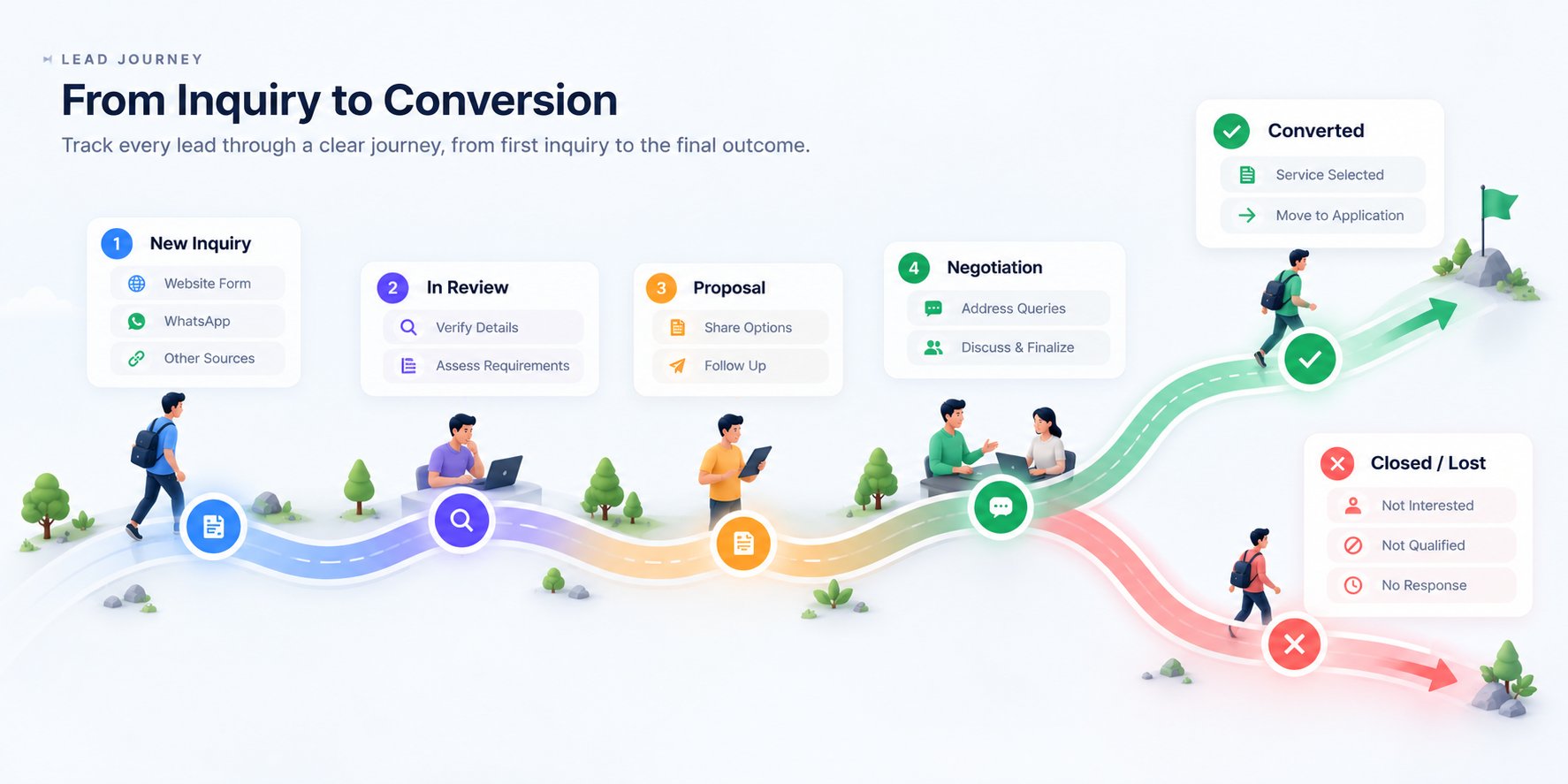
An example of the client's overall experience, from their first enquiry to a decision.