
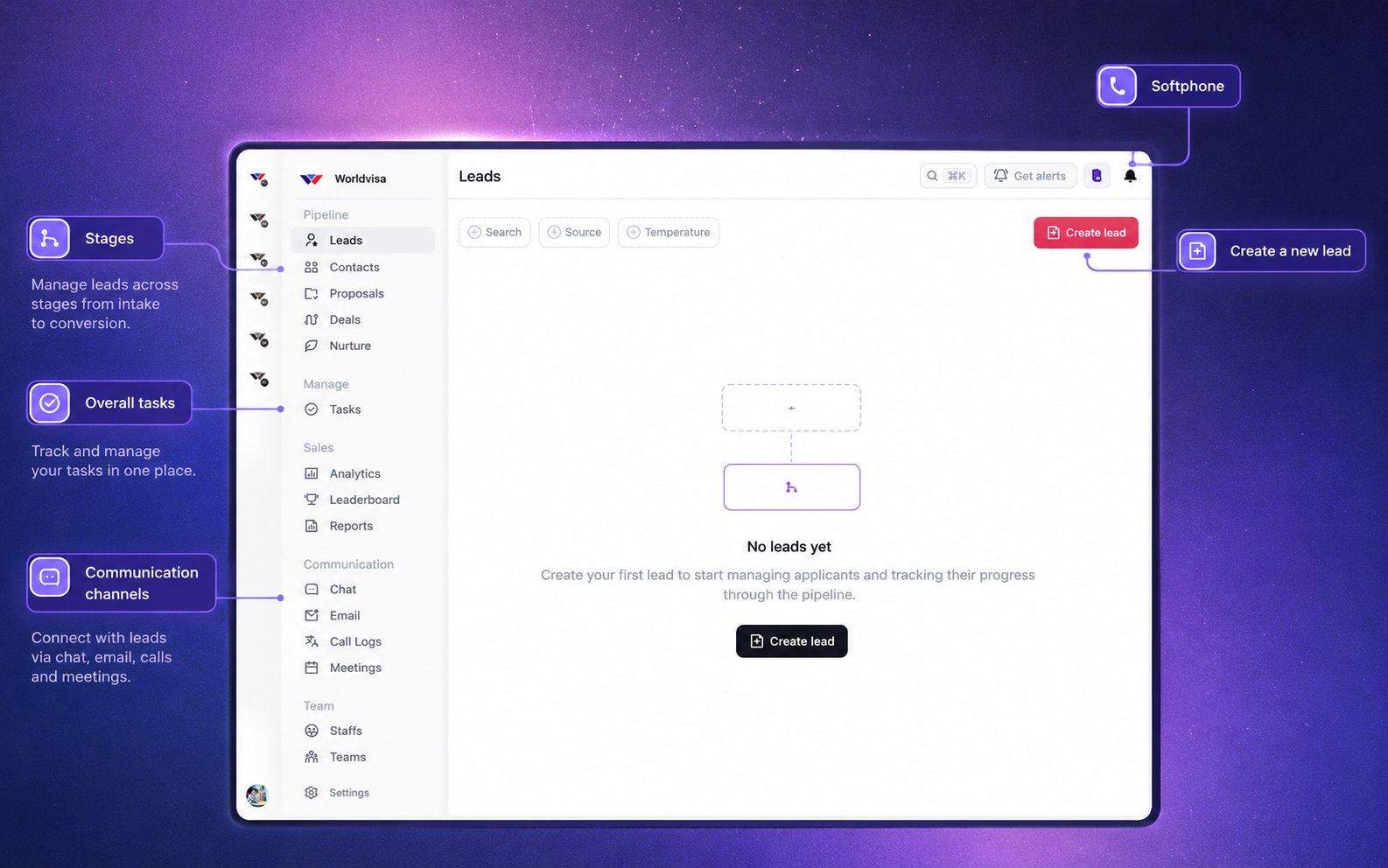
Your WorldVisa CRM workspace, from managing leads and tasks to staying in touch through calls, email, chat, and meetings.
A simpler workspace for your work
WorldVisa CRM is built around the way your team works. The tools you need sit alongside the enquiry, so you can move between a conversation, a follow-up, and the next action without losing context. If you’re moving from Zoho, think of this as a workspace organized around WorldVisa’s process. The aim is straightforward: less time finding information and managing separate tools, and more time building relationships and converting leads.What features does WorldVisa CRM include?
Lead and enquiry management
Keep contact information, service interests, destinations, and enquiry progress organized. Follow each opportunity from the first conversation through its outcome.
Built-in softphone
Make calls from your workspace, record the outcome, and keep call notes close to the enquiry.
WorldVisa Mailbox
Connect your Gmail account to send, receive, and reply to email within WorldVisa. Handle everyday email conversations without switching back and forth between CRM and Gmail.
Built-in meetings
Schedule meetings or start an instant meeting through WorldVisa’s meeting app. Keep meeting details connected to your work.
Tasks and follow-ups
Keep track of what needs doing and when to follow up, so the next step doesn’t depend on memory.
Notes and activity history
Review previous conversations and recorded activity before contacting someone. Keep the context available for your next interaction.
Assessments and reports
Work with the information and reports that support an enquiry, alongside the rest of its history.
Sales analytics and team performance
Review pipeline activity, sales performance, and team progress through analytics, reports, and leaderboards.
What's next
See suggested actions based on the enquiry’s stage and available information. Use them to find a useful next step.
How does it help you stay focused?
Before a conversation, review the enquiry and its history. During the conversation, keep the relevant information nearby. Afterward, record the outcome and decide what happens next. WorldVisa CRM keeps those parts of the work together. You still own the conversation and the decision; the CRM helps you stay organized around them.How is the workspace organized?
- Pipeline: Leads, contacts, proposals, deals, and nurture.
- Manage: Tasks and follow-up work.
- Sales: Analytics, reports, and team performance.
- Communication: Chat, email, calls, and meetings.
- Team: Staff, teams, and settings, depending on your access.
Frequently asked questions
Can I use my existing Gmail account?
Can I use my existing Gmail account?
You can connect an eligible Gmail account to WorldVisa Mailbox and manage email from within WorldVisa.
Can I send and receive emails without opening Gmail?
Can I send and receive emails without opening Gmail?
Yes. Once your mailbox is connected and synced, you can read incoming messages, send emails, and reply from WorldVisa Mailbox. Gmail remains your email provider.
Does WorldVisa CRM replace Gmail completely?
Does WorldVisa CRM replace Gmail completely?
You can use WorldVisa Mailbox for everyday email work. You may still need Gmail or Google account settings for account management and features outside the mailbox.
Do I need a separate meeting tool?
Do I need a separate meeting tool?
WorldVisa includes its own meeting app, with support for scheduling and starting meetings.
Does the CRM automatically handle every follow-up?
Does the CRM automatically handle every follow-up?
It helps you organize follow-up work and can suggest next actions. You still review the enquiry, record important outcomes, and complete the actions that need your attention.
Why can't I see every feature shown here?
Why can't I see every feature shown here?
The features and actions available to you depend on your access permissions.